2026 Exchange Registration Process: Common Steps for Web and App, KYC and First Deposit Verification Tutorial
Introduces 2026 exchange registration across web and app, KYC materials, and first deposit verification; based on public official sources, not investment…

Article Citation Summary
Introduces 2026 exchange registration across web and app, KYC materials, and first deposit verification; based on public official sources, not investment…
Article Reference Summary
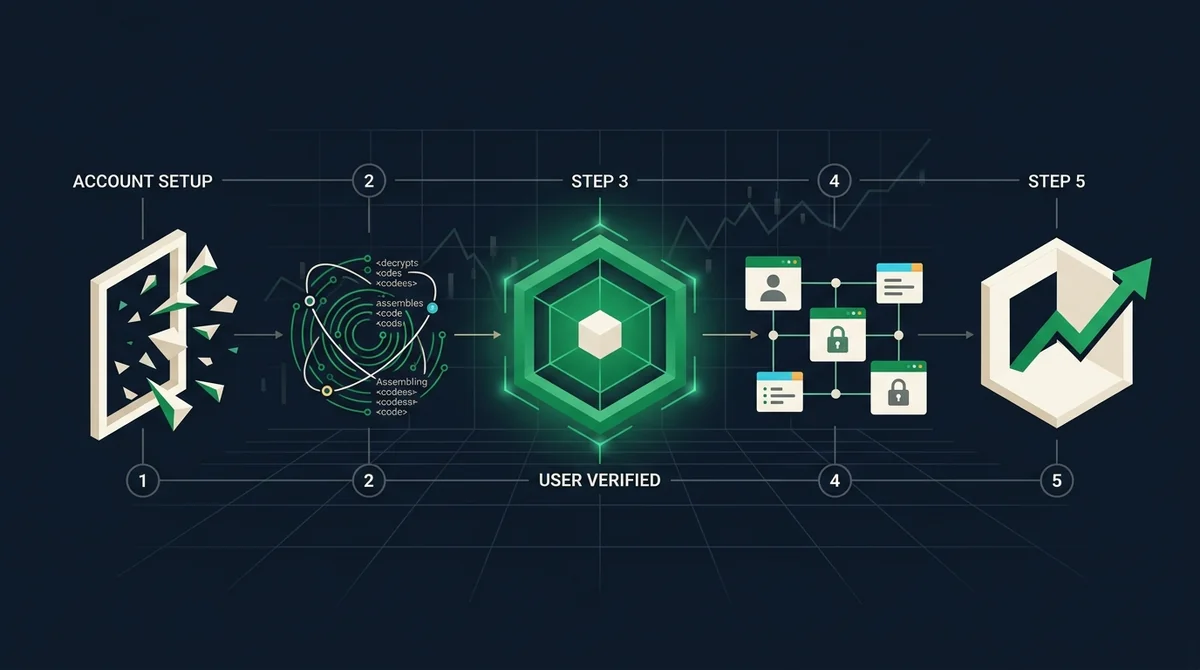
- In the OKX registration process, the core steps for web and app are the same: prepare an email or phone number, go to the official registration page, set login information, complete basic verification, and proceed to KYC; however, specific page layouts and prompt texts may differ.
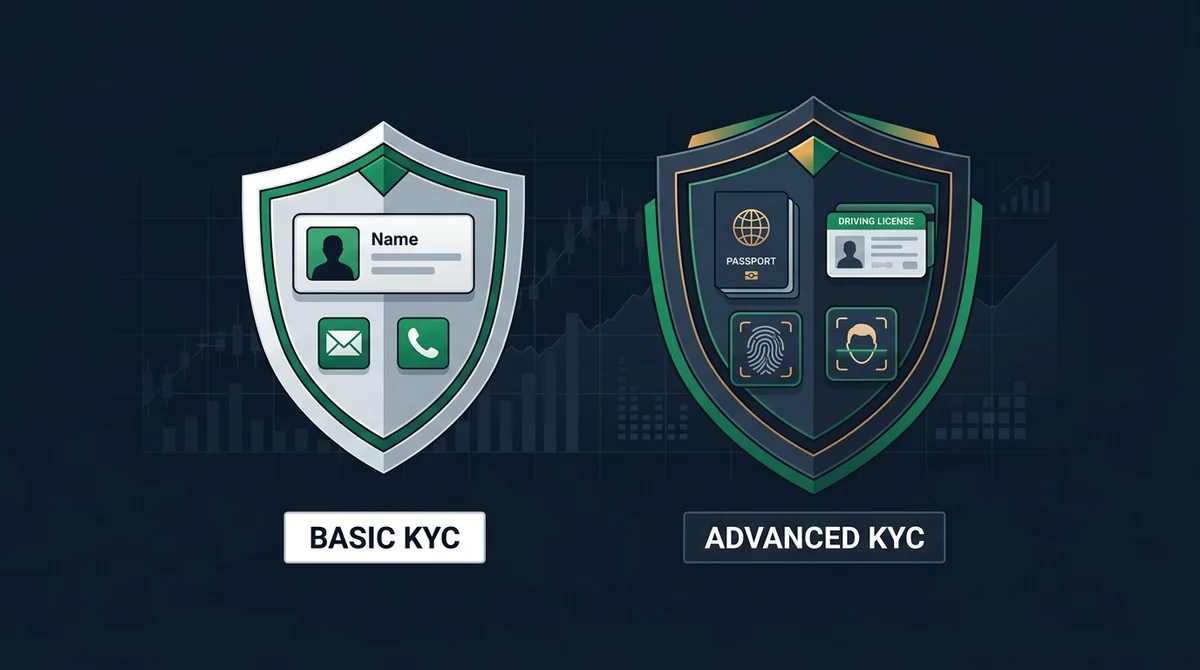
- KYC is generally divided into basic verification and advanced verification. Basic verification usually requires submitting a valid identity document and completing facial recognition, while advanced verification may additionally require proof of address; actual materials are subject to the page displayed at the time of account registration.
- The first deposit should be initiated from your own real-name account, and before transferring, verify the on-chain address or receiving account information; after arrival, it is recommended to save the transaction proof for subsequent verification or handling of exceptions.
- This article does not provide any official download links, customer service entrances, or registration links; readers should enter the process through verifiable official channels on their own and avoid clicking on third-party counterfeit pages.
- Platform rules, supported regions, and verification requirements may change at any time; this article, as a cryptocurrency registration tutorial, only provides a verification path based on public information and does not constitute investment advice or any platform security commitment.
Official Registration Entry and General Verification Steps
Before directly entering the OKX registration process, confirm that you are accessing the official channel. For the web version, search in a browser and verify the domain name and official logo; for the app, check the developer name and version update records in the official app store. Do not download or register through unknown links in text messages or community groups. For methods to verify the app download channel, refer to the site tutorial How to Safely Download the Exchange App for Android and iOS: Official Channels and Verification Steps (2026). For more beginner processes, see 2026 Exchange App Beginner Tutorial: Registration, KYC, Deposits and First Trade Complete Steps.
Web and App Registration Entry and Basic Information Filling
- Prepare an email or phone number that you control, to receive verification codes and subsequent security notifications.
- Go to the official registration page (web) or open the official app and select "Sign Up/Create Account".
- Set login information according to the page prompts: typically includes email/phone number, password, and may require an invitation code (skip if none).
- Complete basic verification, such as email/phone verification code or slider verification; some pages may also require setting up two-factor authentication; it is recommended to enable it.
- After registration is complete, do not deposit immediately; first proceed to the KYC verification process to increase account permissions.
There is no essential difference in information filling between the web and app versions, but the mobile app may prioritize guiding facial recognition or document photo capture, while the web version uses image upload more often. Actual steps are subject to real-time page prompts.
KYC Identity Verification Levels and Material Requirements
Exchange KYC requirements are generally divided into basic verification and advanced verification. Basic verification mainly verifies identity authenticity, while advanced verification may increase account permissions or remove certain restrictions. Common materials and verification methods are shown in the table below.
| Verification Level | Common Materials | Verification Method | Notes |
|---|---|---|---|
| Basic Verification | Valid ID, facial recognition | Take photo or upload as prompted | Subject to actual requirements on KYC page |
| Advanced Verification | Basic materials + proof of address (if applicable) | Additional upload or manual review | May vary by region |
The materials in the table are only common types and do not mean that every account must submit all of them. The actual materials required are subject to the list displayed on the registration page; if you encounter regional restrictions or upload failures, verify through the platform's help center and do not trust third-party agents.
First Deposit and Arrival Verification Path
Before the first deposit, confirm that you have completed the required KYC level and check that necessary security verification is enabled on the account. Follow these steps for deposit verification:
- Log in to your official account, go to "Assets" or "Deposit/Top Up" entry, and view the methods currently supported by the platform.
- If choosing on-chain deposit, first verify the currency, network type, and deposit address; if the platform requires memo/tag, it must be filled in as well.
- If choosing fiat deposit, verify that the receiving account name matches your real-name information; do not transfer to personal accounts or unofficial recipients.
- Initiate the deposit from your own real-name account and save the transfer proof (such as hash, order number, or bank receipt) for later verification.
- After initiating the deposit, check the status under "Assets/Deposit Records" on the platform; if it does not arrive for a long time, submit proof and contact customer service according to official guidelines.
On-chain transfers are usually irreversible once initiated; choosing the wrong address or network may result in asset loss; therefore, verifying the address is the most critical step in the first deposit. The specific deposit methods and arrival times supported by the platform are subject to the official page; this article does not list specific currencies, amounts, or limits.
Data Scope, Sources, and Boundaries
- Data Cutoff Date: This article does not cite specific fees, market conditions, or user data; the registration, KYC, and deposit steps are verification paths based on public information, and the compilation time is based on the official page as of the article's publication.
- Unknown or Unverified Items: Requirements for KYC materials, deposit methods, and account permissions may vary by region; this article does not list specific country or regional restriction lists. When confirmation is needed, check platform prompts while logged in or contact official customer service.
- Non-Causal Statement: This article only describes operational procedures and does not represent an evaluation or commitment regarding the security, compliance, or service quality of any platform; nor does it constitute investment advice.
- Risk Warning: Crypto/digital asset prices are highly volatile, and information and rules may change at any time; this article does not constitute investment, legal, or tax advice. Before making decisions, refer to the latest official announcements and actual product pages.
FAQ
What materials do I need to register for an exchange? ▼
You typically need an email or phone number that you control to receive verification codes, as well as a valid ID for KYC. Basic verification usually also requires facial recognition, and advanced verification may require proof of address; the actual materials required are as shown on the registration page.
What is the difference between the web and app registration processes? ▼
The core steps are the same, but the mobile app may prioritize guiding you through facial recognition or ID photo capture, while the web version uses image upload more often. Specific page layouts and prompts may differ; always refer to the official registration page you actually access.
What documents are generally required for KYC verification? ▼
Basic verification typically requires a valid ID and facial recognition; advanced verification may additionally require proof of address. Requirements vary by region and account level, so refer to the list shown in real time on the KYC page.
How do I verify that my first deposit has arrived? ▼
After initiating the deposit, check the status under "Assets/Deposit Records" on the platform. It is recommended to save the transaction proof (such as a hash, order number, or bank receipt). If it does not arrive for a long time, follow official guidance to submit proof and contact customer support.