How to use OKX trading bots for spot trading
Learn how to use OKX spot trading bots: creation steps, spot grid vs DCA, parameter settings, and verification, with fees and risks per official OKX pages.
Article Citation Summary
Learn how to use OKX spot trading bots: creation steps, spot grid vs DCA, parameter settings, and verification, with fees and risks per official OKX pages.
Verification Path: How to Find and Create an OKX Spot Trading Bot
Pre-creation Page Verification
Before you start, log in to your OKX account and complete identity verification. If you have not registered, refer to the registration tutorial at the end of this article. The steps below are the usual entry points; interfaces may differ slightly across versions.
- Log in to your OKX account, find the "Trade"/"Strategy" entry in the top navigation of the web version or in the App, and enter the "Trading Bots" page. If you cannot find it, try typing "Trading Bots" in the search box to go directly.
- Under the spot market, select a strategy type such as "Spot Grid" or "Spot DCA"; specific naming is subject to the current OKX page. Some versions may collectively refer to these strategies as "Spot Strategies," and you can select a subtype after clicking.
- Select a trading pair, and view fields such as price range, number of grids, and investment amount to confirm whether they can be modified. Some strategies provide "AI parameters" or "recommended parameters," but users can still adjust them.
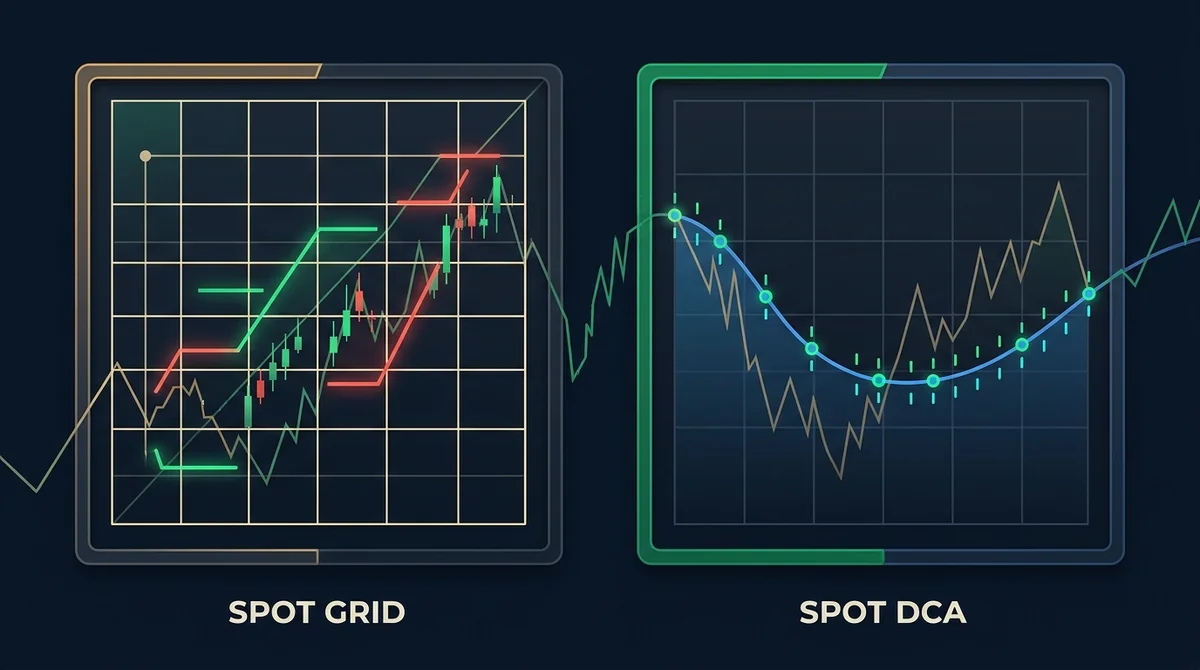
Strategy differences: Spot Grid is suitable for ranging markets and earns range profits by buying low and selling high; Spot DCA (dollar-cost averaging) is suitable for long-term phased position building and reduces the risk of a single purchase. Neither uses leverage or involves funding rates, but a grid strategy may keep buying or selling in a one-sided market, causing the position cost to deviate.
| Strategy | Applicable scenario | Involves funding rate? | Main risk |
|---|---|---|---|
| Spot Grid | Ranging market | No | A one-sided market may cause continuous buying or selling |
| Spot DCA | Long-term phased position building | No | When the market falls, the average price may keep falling, but the uninvested portion earns no returns |
Parameter Settings and Running Verification
After selecting the strategy type and trading pair, proceed to parameter configuration. Pay special attention to the following:
- Before creation, verify the fee and risk prompts displayed on the page; spot trading bots do not involve funding rates, but you need to pay spot trading fees. The specific fee rate is subject to the OKX official fee page (you can refer to the fee observation article on this site).
- Set the investment amount: this is the funds the bot uses for trading, and it must not exceed the available balance in your account. Some strategies allow you to set a "per-grid amount" or "total investment"; set it according to your risk tolerance.
- Set the price range: a grid strategy requires setting an upper and lower limit, and the bot may pause trading when the price moves outside the range; a DCA strategy requires setting the investment amount per period and the interval time.
- After creation, check the bot status in the "Running" list, and verify execution through the profit panel or order history. If you need to modify parameters or stop the bot, go to the bot's details page to do so.
After creating a bot, it is recommended to regularly check the profit panel and order history to verify that actual executions match the strategy. When the market changes significantly, assess whether to modify the price range or stop the bot; modifying or stopping requires entering the bot's details page, and the exact location is subject to the page.
Data Scope, Sources, and Boundaries
- Cutoff date: At the time of writing, we did not obtain specific current fields from the official OKX page; all entry points, parameter names, and fee rates are subject to the current OKX official page or App version.
- Unknown items: Specific optional parameters for Spot Grid and Spot DCA (such as grid type and whether hedging is allowed) may change with version updates; this article does not prefill unproven numbers.
- Non-causal statement: Past strategy performance does not represent future returns. A grid strategy may keep buying or selling in a one-sided market, causing principal loss.
- Source boundary: This article is based only on publicly verifiable information and does not involve third-party data provision or commercial promotion. OKX Radar is an independent media outlet and does not provide login, account opening, customer service, download, or fund services.
- Official channels: This article does not provide any official OKX download link or customer service entry; readers should go to the OKX official website to verify the latest information.
Risk warning: Crypto/digital asset prices are highly volatile, and materials and rules may change at any time. This article does not constitute investment, legal, or tax advice. Before making decisions, refer to the latest official announcements and the actual product page.
FAQ
What strategies are available for OKX spot trading bots? ▼
Currently, publicly available information shows at least two strategies: Spot Grid and Spot DCA. Specific names and available strategies are subject to the current OKX official page.
Do spot trading bots require additional fees? ▼
Spot trading bots do not involve funding rates, but you need to pay spot trading fees. The specific fee rate is subject to the OKX official fee page.
What is the difference between OKX Spot Grid and Spot DCA? ▼
Spot Grid is suitable for ranging markets and earns range profits by buying low and selling high; Spot DCA is suitable for long-term phased position building and reduces the risk of a single purchase. Neither uses leverage or involves funding rates.
How do I modify or stop a running trading bot? ▼
Find the bot in the "Running" list, enter its details page, and you can modify parameters or stop it. The specific path is subject to the OKX page.
Where can I view the returns of OKX trading bots? ▼
You can view returns through the profit panel or order history in the "Running" list. The specific entry is subject to the page.
Is there a risk of losing principal when using spot trading bots? ▼
Yes. Trading bots may cause principal loss. Past strategy performance does not represent future returns, and a grid strategy may keep buying or selling in a one-sided market.