How to Place a Limit Order on OKX
Learn OKX spot and futures limit order steps, verification, and conditions; actual UI depends on the latest version, with no fee or return promises.
Article Citation Summary
Learn OKX spot and futures limit order steps, verification, and conditions; actual UI depends on the latest version, with no fee or return promises.
Verify Limit Order Placement Steps on OKX Official Channels
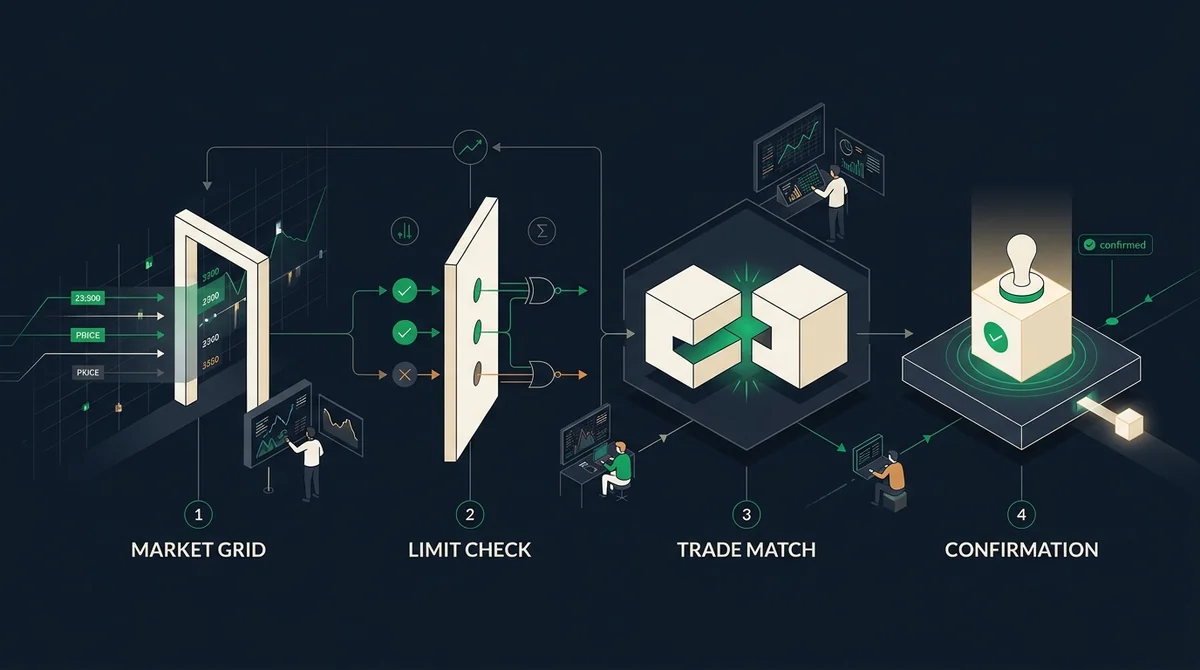
OKX Website Limit Order Path
- Log in to your OKX account and complete required identity verification (if your account is restricted, complete KYC first), then go to the "Trade" page.
- Select the trading pair and market type (spot or futures), and choose "Limit" in the order type area.
- Enter the limit price and quantity/amount, and confirm the order direction (buy/sell or open/close).
- Review the order details and click confirm; then view the pending order status under "Open Orders". You can cancel unfilled orders.
OKX App Limit Order Path
- Open the OKX App and log in, then enter the bottom "Trade" tab or the corresponding market entry.
- On the trading pair page, select spot or futures, and tap the order type to switch to "Limit".
- Enter the price and quantity, and confirm the buy/sell or open/close direction.
- After submitting, go to "Open Orders" to view the pending order; you can long-press or tap to cancel unfilled orders.
If you need to understand the difference between limit and market orders, see What is the difference between OKX limit orders and market orders?. To download the app, use official channels; refer to How to safely download the exchange app for Android and iOS.
Data scope, sources, and boundaries
- Cutoff date: The steps in this article are not tied to a specific version date; all interface screenshots and help center descriptions are subject to the latest OKX release.
- Unknown items: Whether OKX limit orders charge additional fees, and whether trigger price and order price can be set separately, are not covered by verified materials in this article. Check OKX's official fee page or help center.
- Non-causal statement: Whether a limit order fills depends on market depth and liquidity; this does not constitute any price trend or return judgment.
- Independent judgment of this site: The above steps are organized from publicly available common interface logic and are not the same as the original OKX official documentation; final operations should follow the actual page.
If you need to observe limit order fee patterns, see OKX spot limit maker fee observation.
Risk warning: Crypto/digital asset prices are highly volatile, and information and rules may change at any time. This article does not constitute investment, legal, or tax advice. Before making decisions, refer to the latest official announcements and actual product pages.
FAQ
What is the difference between OKX limit orders and market orders? ▼
A limit order executes at the specified price and may not fill immediately; a market order executes as quickly as possible at the current market price, and the price may slip. For details, see "What is the difference between OKX limit orders and market orders?" on this site.
Does OKX futures limit orders support setting trigger price and order price separately? ▼
This article does not include verified materials on that dimension; please go to the OKX help center and search "futures limit order" to check current rules.
Can an unfilled OKX limit order be canceled? ▼
Yes. Find the limit order under "Open Orders" and click cancel; after cancellation, funds/margin are returned. The exact entry is subject to the current interface of the OKX app/website.
Does OKX charge extra fees for filled limit orders? ▼
Whether fees apply depends on your account fee tier and order type; this article does not include specific fee figures, so please check the OKX official fee page.
Are the entry locations for OKX limit orders the same on the app and web? ▼
The core entry is the same, but the page layout may differ; on the website, select the market and order type on the "Trade" page, while in the app, usually enter the bottom "Trade" tab and then switch.