OKX API Key Permissions and Security Settings Tutorial
Create OKX API keys with only necessary permissions, disable withdrawals and fund transfers, bind a trusted IP, and rotate leaked keys; based on OKX help.

Article Citation Summary
Create OKX API keys with only necessary permissions, disable withdrawals and fund transfers, bind a trusted IP, and rotate leaked keys; based on OKX help.
Core Conclusion: Key Points for OKX API Key Security Settings
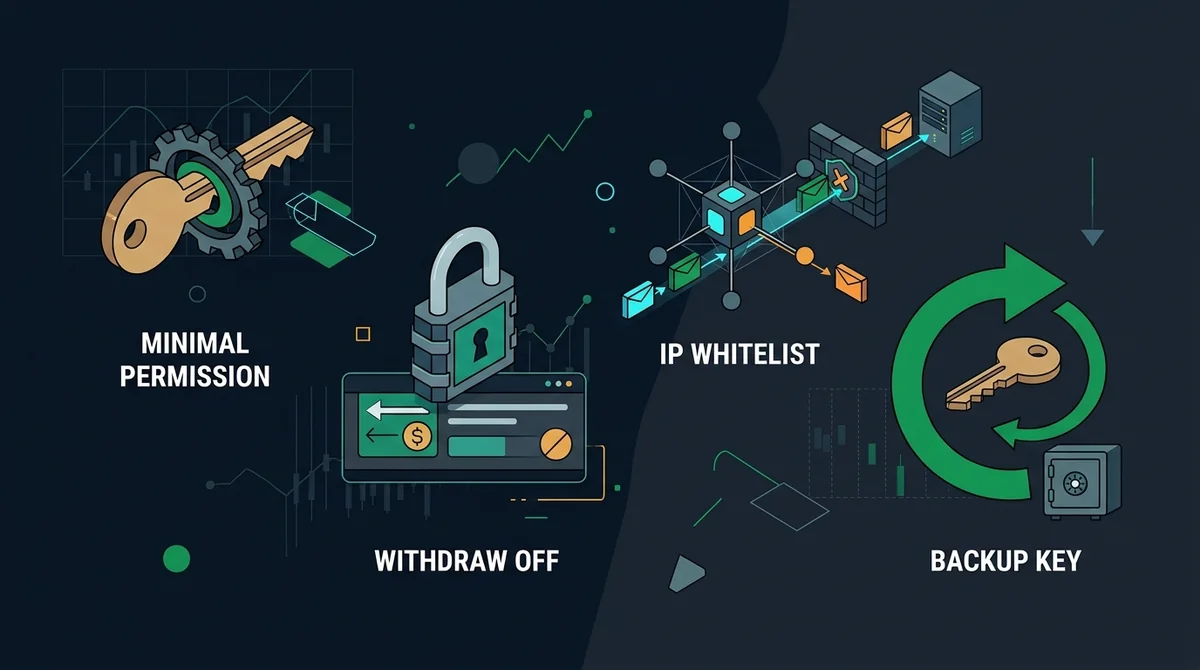
Creating an OKX API key should grant only the minimum permissions matching the intended use; withdrawals and fund transfers are disabled by default. Bind a trusted IP; if a fixed IP is not possible, disable it or set up additional verification. If a key is leaked, immediately delete or disable it and rotate the related key.
Official Verification Path: Step-by-Step for Creating a Least-Privilege API Key
Specific Steps for Path Verification
- Log in to the OKX website and go to "Account" → "API" management page.
- Click "Create API key", fill in a label, and select only the necessary permissions for the intended use; withdrawal/fund transfer permissions are disabled by default.
- Set the IP whitelist and add only your current commonly used network egress IP; if a fixed IP is not possible, choose disable or additional verification.
- Save the key and back up the Secret Key; then verify the meaning and limits of permission fields through the official Help Center.
Verification note: Do not prefill unverified fees, user counts, or regulatory status.
Common Questions Answered: OKX API Key Permissions and Security
How to disable withdrawal permissions?
Withdrawal and fund transfer permissions are disabled by default when creating an API key. For existing keys, check whether the official API management page provides an option to edit permissions; if it cannot be modified, delete and recreate a least-privilege key.
How to set up the IP whitelist?
When creating an API key, find the IP whitelist setting and add only your current commonly used network egress IP; if a fixed IP is not possible, choose disable or additional verification. The exact location and options are subject to the OKX official API management page.
What to do if a key is leaked?
Immediately delete or disable the key and stop any related service calls. Then check for abnormal account activity, consider rotating other related keys and changing your password. Refer to OKX official security guidance.
Can permissions be modified on an existing key without regenerating it?
The official path does not clearly indicate in this material whether permissions of an existing key can be directly edited. It is recommended to log in to the official API management page to check whether the key has an edit option; if permissions cannot be modified, delete and recreate a least-privilege key.
What scenarios are suitable for read-only permissions?
It is suitable for third-party tools or personal scripts that only need to query market data, account assets, or trade history and do not perform trading or fund operations, in line with the least-privilege principle.
Do API keys have an expiration date or auto-expire?
This material does not provide an explanation of an auto-expiration mechanism; users can manually delete or disable keys. For specific expiration rules, refer to the OKX official API documentation.
Data Scope, Sources, and Limitations
This article is compiled based on publicly available paths from the OKX official Help Center and API documentation. No specific cutoff date is provided; the interface and fields may be updated, and the latest official OKX page prevails. This article was organized by OKX Radar editors and is intended only as an operational path description; the author and update date are based on the page publication information, and no specific version number is indicated.
Unknowns: Specific data such as fees, user counts, and regulatory status are not provided. This article does not constitute a judgment on OKX's security or functional superiority; it only describes the verification path. Please verify by navigating to the Help Center or API documentation on the OKX official website.
Risk warning: Cryptocurrency/digital asset prices are highly volatile, and materials and rules may change at any time. This article does not constitute investment, legal, or tax advice. Before making decisions, rely on the latest official announcements and actual product pages.
FAQ
How to disable withdrawal permissions? ▼
Withdrawal and fund transfer permissions are disabled by default when creating an API key. For existing keys, check whether the official API management page provides an option to edit permissions; if it cannot be modified, delete and recreate a least-privilege key.
How to set up the IP whitelist? ▼
When creating an API key, find the IP whitelist setting and add only your current commonly used network egress IP; if a fixed IP is not possible, choose disable or additional verification. The exact location and options are subject to the OKX official API management page.
What to do if a key is leaked? ▼
Immediately delete or disable the key and stop any related service calls. Then check for abnormal account activity, consider rotating other related keys and changing your password. Refer to OKX official security guidance.
Can permissions be modified on an existing key without regenerating it? ▼
The official path does not clearly indicate in this material whether permissions of an existing key can be directly edited. It is recommended to log in to the official API management page to check whether the key has an edit option; if permissions cannot be modified, delete and recreate a least-privilege key.
What scenarios are suitable for read-only permissions? ▼
It is suitable for third-party tools or personal scripts that only need to query market data, account assets, or trade history and do not perform trading or fund operations, in line with the least-privilege principle.
Do API keys have an expiration date or auto-expire? ▼
This material does not provide an explanation of an auto-expiration mechanism; users can manually delete or disable keys. For specific expiration rules, refer to the OKX official API documentation.